AI Tools That Help Content Creators Actually Ship More Content
The content game has changed completely. Five years ago, posting daily meant hiring a team or destroying your mental health. Now? Creators with no staff are outproducing entire media companies.
The difference isn’t talent or work ethic. It’s AI leverage.
I’ve spent the last year testing every AI tool marketed to creators. Most are garbage. Here’s what actually works.
The Creation Pipeline: From Idea to Draft
Ideation is where most creators get stuck. You’ve posted 500 videos about your niche—what’s left to say?
Perplexity AI and ChatGPT are your brainstorming partners now. “Give me 20 video ideas about personal finance that haven’t been overdone” gets surprisingly good results. Better yet: “Analyze my last 10 videos and suggest topics that would complement them.”
The trick is specificity. “Content ideas” gets you garbage. “Contrarian takes on commonly accepted advice in [your niche]” gets you gold.
For scripting, Claude has become my go-to. It’s better at maintaining tone and structure than ChatGPT for long-form content. I give it my best-performing scripts as examples, describe the new video, and get a first draft that’s 70% there.
Jasper works better for short-form—social captions, email subject lines, hooks. It’s trained specifically on marketing copy and it shows.
Video Production: The Time Sucks Eliminated
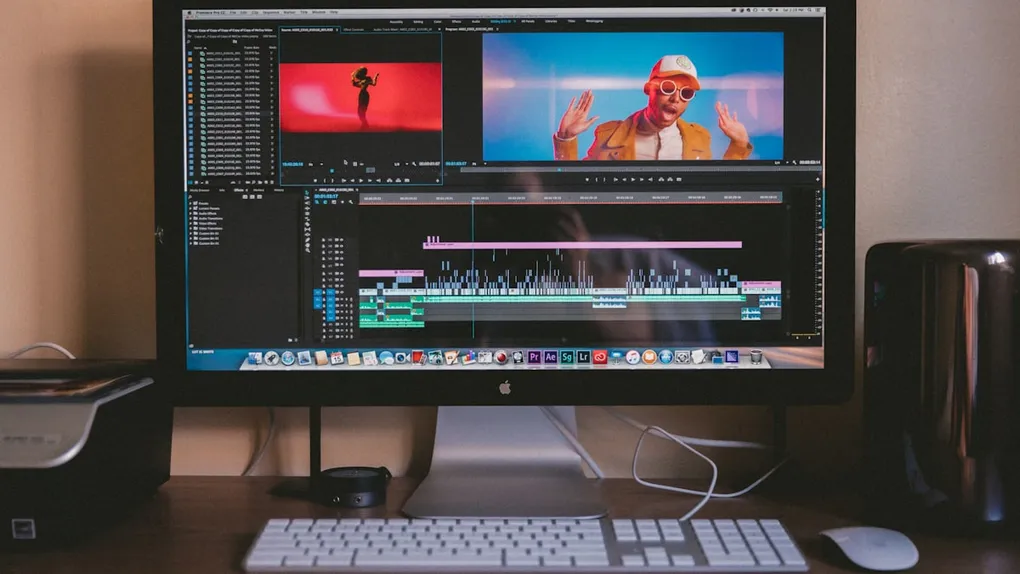
Descript changed how I edit video. You edit the text transcript, and the video edits automatically. Remove a paragraph, the video cuts. Fix a word you mispronounced, it either cuts or uses their voice clone to replace it.
Filler word removal alone saves me hours. I say “um” and “like” constantly. One click removes them all.
CapCut has AI features that auto-generate captions, suggest cuts based on engagement patterns, and enhance audio quality. For short-form content, it’s nearly automatic.
Runway ML handles the stuff that used to require After Effects expertise. Remove backgrounds, add motion graphics, generate b-roll from text prompts. The quality isn’t quite premium yet, but for most creators, it’s more than good enough.
HeyGen and Synthesia let you create video content from text using AI avatars. I don’t use these for main content—audiences can tell—but for supplementary stuff like course videos or internal content, they’re genuinely useful.
Thumbnails and Visual Content
Midjourney for concept art and creative thumbnails. Describe your vision, get ten options in two minutes. I use these as starting points, then customize in Photoshop or Canva.
Canva’s AI features have gotten surprisingly good. “Make a YouTube thumbnail showing a surprised reaction with big bold text” actually produces usable results.
Adobe Firefly integrates with Photoshop, which matters if you’re already in that ecosystem. Generative fill—removing objects, extending backgrounds, changing elements—feels like magic.
For batch consistency, I’ve found that generating a template in Midjourney and then using Canva for text variations works best. Your thumbnails look consistent but each one is unique.
Audio and Podcast Production
Descript again—it’s become the default for podcast editing. Studio sound effects that clean up mediocre audio, filler word removal, and transcript-based editing that makes reorganizing conversations trivial.
Adobe Podcast (web-based, free) has an “Enhance Speech” feature that makes bad audio sound like studio quality. I’ve rescued interviews recorded on phone speakers.
Riverside and Squadcast record locally on each participant’s device and use AI to sync everything. No more compressed Zoom audio in your podcasts.
For show notes and chapters, Podium or Castmagic generates them automatically from transcripts. What used to take 30 minutes of listening and writing now happens in seconds.
Repurposing: One Piece Becomes Ten
This is where AI provides the biggest ROI for creators.
Opus Clip takes a long video and automatically identifies the best moments for short-form clips. It’s not perfect—maybe 6 out of 10 clips are genuinely good—but that’s 6 clips you didn’t have to manually create.
Vidyo.ai does similar things with different strengths. I usually run both and pick the best outputs from each.
Claude or ChatGPT can take a video transcript and turn it into a blog post, Twitter thread, LinkedIn article, and email newsletter. Same core content, adapted for each platform’s style.
Typeshare and Hypefury are built specifically for Twitter/X content. They can take your long-form ideas and atomize them into daily posts with threading suggestions.
The math is simple: Create one substantial piece, let AI generate 10-15 derivative pieces. Your apparent output multiplies while your actual creation time stays flat.
The Voice Clone Situation
This is controversial, but it works.
ElevenLabs can clone your voice with about 30 minutes of sample audio. The quality is now indistinguishable from real recordings in many cases.
I use this for:
- Reading my blog posts as audio content
- Generating voice-overs for b-roll while I focus on filming main content
- Creating content in languages I don’t speak (with translation + voice clone)
I don’t use it for main videos—something about the direct connection with audience requires the real me. But for supplementary content? Game changer.
What AI Can’t Do (Yet)
Your personality. The thing that makes people subscribe to YOU and not someone else is still entirely human. AI can amplify your voice but can’t create it.
Original insights. AI can research and synthesize, but the novel connection between ideas—the thing that makes content valuable—still comes from your brain.
Audience relationships. Comments, DMs, community building. You can use AI to draft responses, but the relationship itself is human.
Trend sensing. AI can tell you what performed well historically. It can’t tell you what’s about to blow up. That intuition is still yours.
The creators struggling with AI are trying to automate the human parts. The ones thriving are automating production while doubling down on the human connection.
My Creation Stack
- Claude Pro for scripting and repurposing: $20/month
- Descript Pro for editing: $24/month
- Canva Pro for thumbnails and graphics: $13/month
- Opus Clip for short-form clips: $19/month
- ElevenLabs for voice cloning: $5/month (creator tier)
- Midjourney for concepts: $10/month (basic)
- CapCut Pro for short-form: $8/month
Total: about $100/month
This stack helps me produce 3-4x the content I could manually, at higher quality, with less burnout. The ROI is absurd.
The Real Strategy
Here’s how I think about AI and content:
Create less, leverage more. One great long-form piece, properly repurposed, beats five mediocre pieces. Use AI to multiply your best work, not to generate more average work.
Automate production, not creativity. The editing, the formatting, the adapting for platforms—that’s AI work. The ideas, the stories, the personality—that’s you.
Stay ahead of the curve. Right now, AI-assisted creators have a massive advantage. In two years, everyone will be doing this. Build your audience now while the leverage still differentiates you.
The goal isn’t to become a content machine. It’s to become a better creator by spending less time on the stuff that doesn’t require creative judgment.
Creator tools are evolving faster than any other category. I’ll keep this updated.